
Hitting the Arcade

There is a lot you have to put up with when you become a father. Apart from the “old” commentary, your joints handing in their warranties (this could apply to the post-30s in general), and a lack of adequate sleep, there is also the reality of becoming slower.

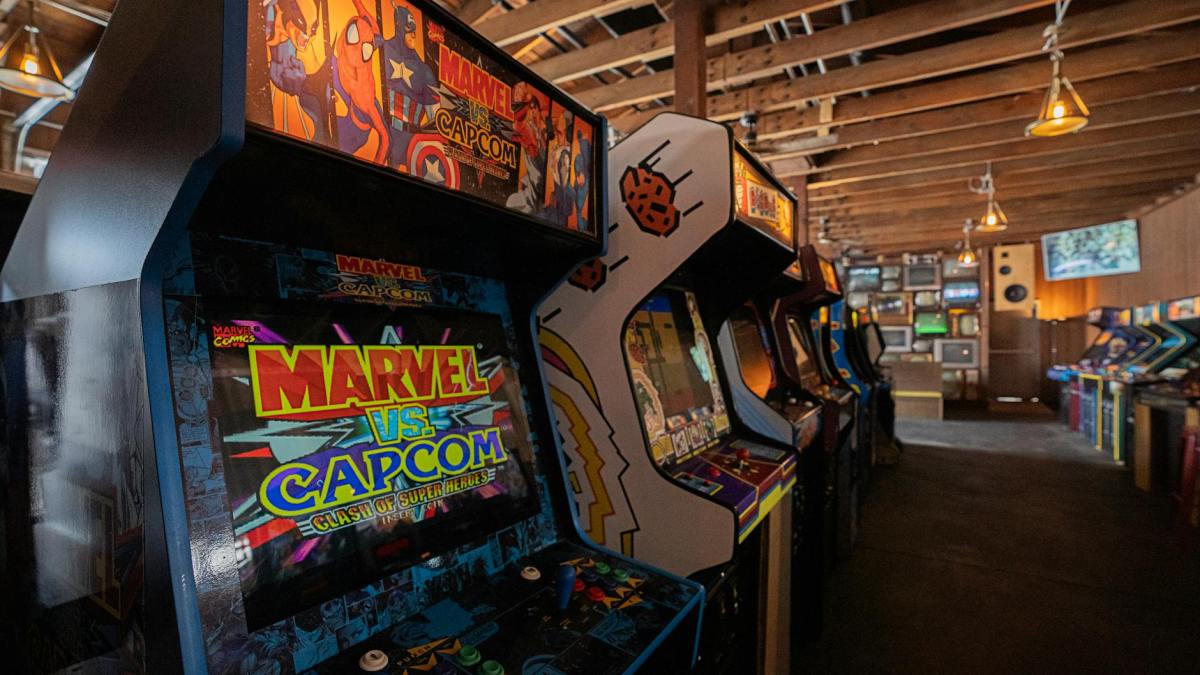
That last point couldn’t have been more on the nose than when I hit the arcade with my 5-year-old daughter. This was her first visit, and it started off great. I was feeling all the emotions a father would have, reliving his childhood at the arcade. This time around, I was experiencing it all from my daughter’s perspective. The bright and colorful lights, the loud noises, the assortment of toys, what more could a kid ask for? Here was an occasion where I could have some quality father-daughter time while my wife could relish the peace and tranquility of shopping by herself (after nearly four years of “family” shopping).

The last time I set foot in an arcade was in the late 90s. There was a single, solitary store in my hometown. Admission was not cheap back then, but thanks to my strong performance at school, my father felt I deserved a treat. The hour or so I spent there is a gem of a memory. Coin tokens were a sweet memento of the 90s arcades. The idea of having to win coins to play more, and just the feel of it all, was pure awesomeness. Unlike today, when there are filters on the games that populate an arcade, the 90s had some questionable choices. My personal favorites were: Street Fighter and, of course, Mortal Kombat.
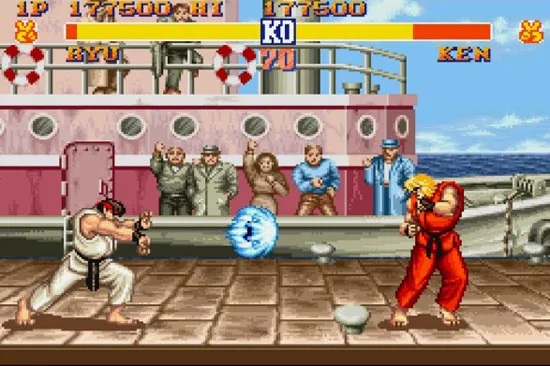
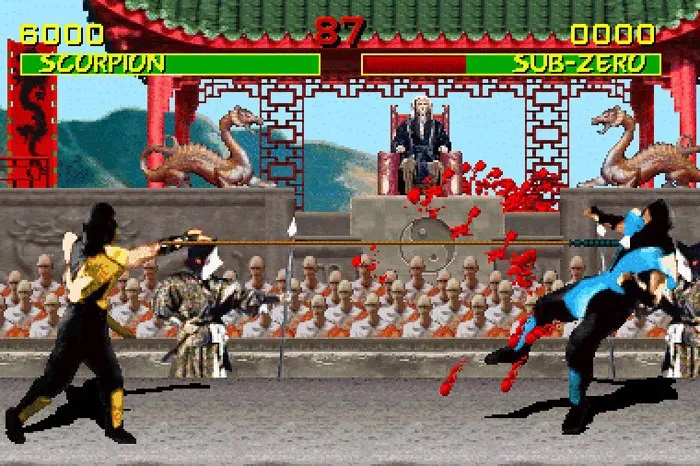
Neither of which I would allow my daughter play at her age.

So, entering the arcade now in the 2020s, I felt a little like a man out of time. Coins weren’t the favored currency. We now just had to load up a card with money. You win coupons and tickets that are automatically synced to your card, which you can then exchange for goodies. That last part was something I didn’t know, and I spent five minutes walking around the arcade machine and looking for an opening where the tickets fell through.

The selection of games at the arcade we hit up was much friendlier and more well-rounded for the 5-10-year-old age group. My daughter’s favorites were anything that involved claw machines. She was also damn good at it, far more than I ever was. I was very happy for her as we walked around with a generous collection of toys and plushies she had won from these machines. That happiness eventually turned to dread with the lesson I soon received.

It was a “I have tasted my own medicine, and it is bitter” scenario. I don’t consider myself too competitive when it comes to video games, but I apparently have a sadistic personality (according to my wife) and get the greatest pleasure in rubbing it in on my opponents through trash talk. Now, that side of me never popped up with my daughter. Even on my wife’s suggestion to try out a racing simulator, I was going to go easy on her. After all, seeing your child win and be happy is the best. Right? RIGHT?

Well, it is, until she whoops your ass, wipes the floor with you, and turns the sass on. The racing simulator was nothing too special, and the controls were simple enough. You had the steering wheel, the ignition, the nitrous button, the pedals, and whatnot. Once the race actually began, it was like I was facing a mirror reflection of myself. Never have I heard my daughter laugh as maniacally as she did, killing me on the track. Forget about going easy; I had to get serious. Annnddd, I still lost. Somehow, my daughter had, within minutes, perfected a technique that had taken me a lifetime: smash all the buttons at once.

The worst part of it all was getting it thrown back at me.

“Haha, Appa, you lost. You are too slow.”

Sigh. Anyways, lesson learned. Being humble can take you far in life. I graciously accepted my defeat. My wife, of course, couldn’t help but rub it in. It was well-deserved. All in all, though, I had a blast. It IS awesome to see your child be better than you in things, and it feels great…

Building my own PC

After nearly 8 years of service, my Lenovo G505s laptop had enough of it. While still performing pretty well, it was obvious I required a new computer.

Well… not anymore. Goodbye, old friend.

Having always wanted to build a custom PC of my own, I spent several weeks leading up to Christmas 2020 researching on the topic before finally getting my build completed over the last week of 2020.

Building a computer from scratch provides one the perfect customizable machine for one’s needs, but it can be daunting the first time around.

Altogether, it was a wonderful learning experience which I would like to share here today, alongside some tips and resources that I found real handy for those among my audience who might want to give this a try as well.

The immediate pros of building your own PC is that it offers a viable option for a customizable workstation at home for a price range that you get to fix for the most part. With most of us still working from home during this pandemic, it is also an awesome project to have at hand as a thoughtful distraction. The cons to building a PC is largely restricted to one’s own dedication and patience. It is one particular endeavor where some prior research and reading can really pay off, and that is where my journey began as well.

Even before I started on building the PC, I spent nearly a month reading through tutorial guides online, and watching several Youtube tutorials to get the general gist of things. This gave me the initial courage required to put my foot through the door. My top three resources on this note would be the following:

How to Build a Computer: The Complete Guide

How to Build a PC! Step-by-step (2020 Edition) – Robeytech

How To Build A Gaming PC COMPLETE STEP BY STEP Beginners Build Guide 2020! – PC Centric

Having done my relevant research, it was time to choose the type of system I required. I wished for something that was in the middle of the road with options for upgrades if ever required, but having enough juice to satisfy my gaming and artistic interests. It was then time to select the parts of my system, the Lego blocks that I would put together.

Every fully-functioning computer is made of pretty much the same basic components:

(1) The Central Processing Unit (CPU) – the brain of the computer. The better the CPU the more tasks it can perform at once, and perform them faster. At the same time, unless you’re performing intense tasks like video editing, streaming, or high-end gaming, you will most probably not take advantage of your CPU’s full speed.

(2) The Motherboard – the foundation/base of your system upon which all your components get aligned. The motherboard is no different than a circuit board and provides all the relevant features your machine would need like USB ports, expansion card slots for audio, video, and Wi-Fi etc.

(3) The Random Access Memory – the RAM is the short-term memory of your computer. It stores data and also helps your computer run programs faster and more than one at a time. The larger the RAM the more programs you can run simultaneously.

(4) The Graphics Card – basically handles the graphics. Your monitor hooks to the graphics card and basically draws what you see on your desktop. Some motherboards usually come with an integrated graphics card, and others don’t. The more high-end games you wish to play, the better your graphics card must be.

(5) Drives – Basically your storage, and long term memory of your computer. Hard drives (HDD) were the norm and still are to a certain extent though there has been a shift towards Solid State Drives (a miniature version of the bulky HDD). SSDs are generally more expensive, less bulky, faster, and use less energy while HDDs are less expensive, more bulky, slower, and use more energy.

(6) Power Supply- Directs electricity to the components in your machine. Generally, the higher performance system you have, the higher the wattage power supply that will be required. The last part to buy, once you’ve finalized all your other parts and how much electricity they require.

(6) Other Parts to Consider – If you are old school and still have some CDs and DVDs lying around, consider buying an Optical Drive (I did). A computer case will hold all your parts together. If you wish to have Wi-Fi rather than wired Ethernet, you may require a Wi-Fi card. Most obviously, you will require a monitor, keyboard, mouse, and of course the relevant operating system software you wish to use (Windows or MacOS).

While at first read, this may seem overwhelming https://pcpartpicker.com/ provides a wonderful System Builder resource alongside an in-built catalogue of PC parts on the market with their pricing information to assist in making your builds. Upon choosing your parts, the System Builder checks for any compatibility issues in the parts chosen, and also offers suggestions for the estimated Wattage which helps gauge the type of power supply you want to buy. The community at PC Part Picker is a friendly reference where you can get the opinion of other amateur PC builders and pros alike for their opinion on your build.

Once you have decided on your parts, I would ideally choose a sales period to make your purchases so that you can save as much money as possible. In my case, I purchased all my parts during the Black Friday and Cyber Monday sales. My purchases varied directly from the vendor or through third party services such as https://www.newegg.ca/, https://www.memoryexpress.com/ (for those in Canada), Amazon, Bestbuy, etc.

Building the PC in and of itself was quite similar to building a Lego House from scratch. The videos referenced earlier alongside the PC guides were my go-to references. The PC parts themselves come with straightforward instruction pamphlets on putting the components together. At this stage, my biggest advice would be to have a clean surface, a magnetic/ordinary screwdriver kit, and a timely reminder to discharge any static electricity on yourself by touching a metal surface (like your PC case) regularly.

With that said, I thoroughly enjoyed building my PC. It is a confidence boosting exercise on its own, and it feels damn good when you complete it. If at all one does get stuck at some point, as I did on many occasions, DO NOT GET frustrated. Take some time away, and return to the puzzle with a fresh mind. If at all possible, reach out to your gamer friends as there is a fairly high chance that some of them have built their own PC. In my case, it helped for pure enthusiasm that Superman aka Henry Cavill started and finished building his PC around the same time that I did.


For those among my readers who have any questions related to building a PC or are in the process of building their own PC, feel free to leave a comment.

I will see you all soon with a new post!

Retro Gaming: NES Classic Edition Review

My first experience of a video-game involved assisting a prince, hailing from Persia, on his mission to defeat his enemies and reunite with his beloved princess (third-wheeling taken to the next level). I achieved this while sitting on a plastic chair in a makeshift computer room built out of the lobby of our rental home in India. Not too shabby for a kid.

In retrospect, I count myself lucky that my parents were able to afford a computer, albeit secondhand, with such technology being a luxurious commodity in the neighborhood we lived in (this was around the early ’90s). A few years later, my parents would purchase their own home, and following my eighth birthday my father would gift me a SEGA Genesis Console. The console came with several game cartridges detailed with vibrant pictures and game titles.

Each cartridge supposedly held 1000000 titles. For a kid who loved video games, this was jackpot. I was awestruck. I realized that even if I were to play all day long, I could never finish all the games. Instead, I decided to finish them one at a time. Sadly enough, the console itself wouldn’t last the challenge, crapping out a few months down the road. A decade later, I realized that this console was a bootleg version of the original. I should have known better especially since the 1000000 titles in 1 cartridge was pure hogwash, but 1000000 repetitions of the same 30 games (I have to give props to the varying permutations they used to make it seem that there were actually 1000000 games).

A perfect April Fool’s gift for your kid…I wonder if my father had been planning the same. 

None of the games even belonged to the SEGA platform but instead originated from the Nintendo Entertainment System (NES) console, otherwise known as the Family Computer or Famicom. Fast-forward to 2019, I would go on to purchase the small bundle that is the NES Classic Edition. Sold at a very reasonable price, the miniature version of the original Famicom, comes loaded with 30 classic Nintendo games (I made sure) in what is a retro blast from the past.

The original NES as launched in 1985 (Left), and the NES Classic Edition (Right) released in 2016.

My father once stated that I would eventually grow out of video games. He was partly correct. My current half-life playing a game on a console/PC is about 30-45 minutes before my brain switches off. It wasn’t the same with these classics though.

In modern gaming, one has the option to selectively spawn at particular levels and save their progress through a game. Things weren’t the same in the ’90s, where failure in a game literally meant you start again from square one. I’m guessing those countless failures contributed to my inherently stubborn nature to successfully finish any job that I’ve started be it household cleaning to actual experiments in the lab.

In that sense, the NES Classic Edition, provides a bout of nostalgia for all the 80’s and early 90’s kids who wish to re-indulge in the fantasy worlds that made our childhood. An added bonus is offered in tempering our unchecked anger when our character fails a jump and falls under the screen only to resurface back at Level 1.

Yeah…not gonna make that one alright. 

The NES Classic Edition remains available largely through Amazon for 100 USD (make sure to purchase the ones distributed by Nintendo and not by other third-party distributors) which offers the lowest price rates compared to other retail outlets such as BestBuy, GameStop, or Walmart.

Along with the classic NES controller (extension cords have to be bought in addition), the NES Classic Edition does offer a few updates. One can now save the game using suspend points with four slots allotted for each game, thus allowing one to save a perfect run for as long as it lasts with no danger of losing your progress. My personal favorite feature of the NES Classic Edition console is the option to switch between three different display filters:

  • CRT Filter: makes your display similar to that of an old TV, with its characteristic scan lines.
  • 4:3 Filter: the original NES game look
  • Pixel Perfect: each pixel is displayed as a perfect square providing a vision of the game exactly as it was to be visualized.

So, for those “old-time” gamers in my audience, and for those who are just as much interested in having a peek at the ’80s and early ’90s gaming landscape, give the NES Classic Edition a try.  It is no E.T. (the game) so I can guarantee you will enjoy it! For those who swing with SEGA or PlayStation, the classic variants for these consoles have also been released with preloaded representative games of their genre.

All in all, my review of the NES Classic Edition console is 5/5 in what is a fun ride through the past, and perfect for passing time during that lazy afternoon over the weekend.